Your recipes.
Your device.
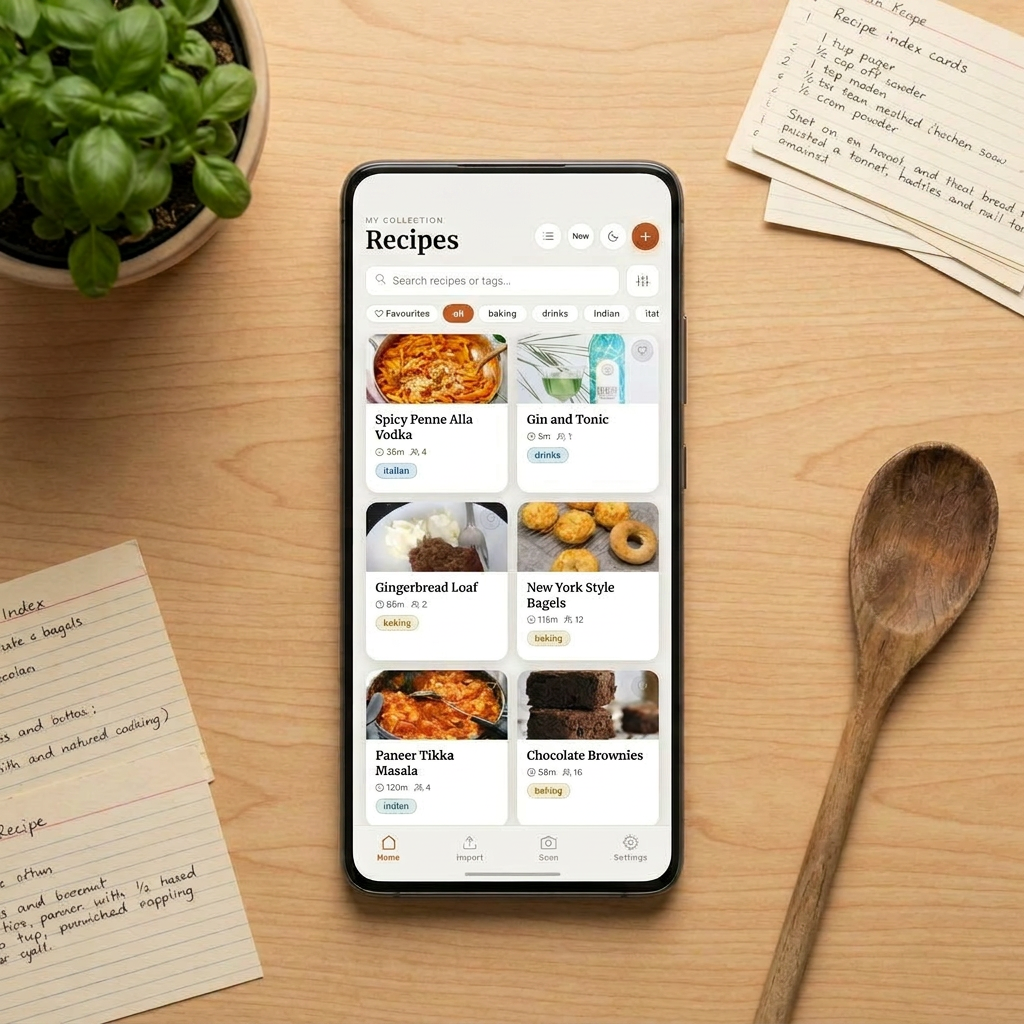
A recipe app that stays out of your way. No account, no ads, no tracking. Just your cookbooks, stored privately on your phone.
Built around privacy
and simplicity.
No accounts. No cloud. No nonsense. Everything stays on your device, forever.
100% Free
No subscription, no premium tier, no hidden costs. Free forever.
Zero Ads
No banners, no pop-ups, no sponsored recipes. Ever.
Zero Tracking
No analytics, no usage data, no telemetry of any kind.
Zero Sign-Up
Open the app and start cooking.
No email, no password, no account.
Local Storage
Your recipes live only on your device.
Nothing is sent to a server.
Backup & Restore
Export a local backup any time.
Your data, your control, your files.
Get recipes in
any format.
From the web, your files, or a photo of a cookbook.
URL Import
Paste any recipe URL and Crave extracts the recipe automatically, stripping away all the blog noise.
Photo & Camera
Photograph a recipe from a book or handwritten card. AI reads and structures it for you.
PDF Import
Import up to 40 pages at once. Multi-recipe PDFs are detected and split automatically.
Word Docs & Paste
Import DOCX files or paste text directly. Crave handles the formatting either way.
Everything you need
at the stove.
Thoughtful features that make actually cooking from your phone a pleasure.
Serving Scaler
Tap to scale any recipe up or down. Ingredients recalculate instantly, shown as clean fractions, not awkward decimals.
Cooking Mode
Tap each step to check it off as you go. Keep your place in a recipe without having to scroll back and forth.
Measurement Conversion
Switch between metric, US cups, imperial, and weight. Set a global default or override it per recipe.
Smart Search & Filters
Search by name, filter by tag, cookbook, or favourites. Works across large collections without slowing down.
PDF Export & Share
Export any recipe as a formatted PDF, complete with photo thumbnail. Share as a file, text, or screenshot.
Temperature Converter
Oven temperatures auto-extracted from your recipe steps. Tap to switch between °C and °F without leaving the recipe.
Go further with
an API key.
Add an optional API key to unlock even more: AI-powered recipe import, or beautiful photos for your recipes. Both keys are stored only on your device and completely optional.
Claude API
Import recipes from photos, PDFs, and web pages using AI. Around $1 gets you roughly 100 imports with photos.
Go to platform.claude.com and create a free account.
Navigate to API Keys and generate a new key.
In Crave, go to Settings → Claude API Key and paste it in.
Pexels API
Automatically find and add a beautiful photo when you import a recipe. Pexels is a free photo library with no cost per use.
Go to pexels.com/api and create a free account.
Generate an API Key from your account dashboard.
In Crave, go to Settings → Pexels API Key and paste it in.
FAQ
No catch, and no enshittification either. Crave won't start free and quietly get worse once you're hooked. No ads will appear, no features will move behind a paywall, and we're not collecting your data to sell later. We also won't guilt you with a "buy me a coffee" button or a passive-aggressive donation nudge. The only optional cost is the Claude API key for AI-powered import (fractions of a cent per use) and the Pexels API key for auto-adding recipe photos, which is free.
Crave works fine without one. But a Claude API key is what the app was built around: it turns a photo of your nan's handwritten recipe card into a fully structured recipe in seconds. Hard to go back once you've tried it. The Pexels API (for auto-adding recipe photos) is free. The Claude API uses Haiku, Anthropic's cheapest model. Around $1 gets you 100 imports with photos, fractions of a cent each.
No, and there won't be. Apple takes 30% of every in-app purchase and has final say over every app on their platform. As the Epic trial laid bare, the App Store is less a marketplace and more a toll booth. Crave is free with no in-app purchases, which makes the economics of Apple's walled garden hard to justify. Android only.
Entirely on your device. No account, no cloud, no server. Export a full backup as JSON any time from Settings, covering recipes, photos, tags, and attributions. Restore it on any device, or just keep it as a personal archive. Your data is always yours.
Almost everything works without a connection: browsing, cooking, editing, scaling, exporting. You could build a Faraday cage around your kitchen and still cook every recipe in your collection. The only exceptions are AI-powered import, which need to phone home.
Yes. From any recipe you can export a formatted PDF, share as plain text, or share a screenshot, all from the recipe detail screen. You can also share your entire collection as a JSON backup from Settings, which another Crave user can restore on their device.
No. Food is for enjoying, not calculating.